
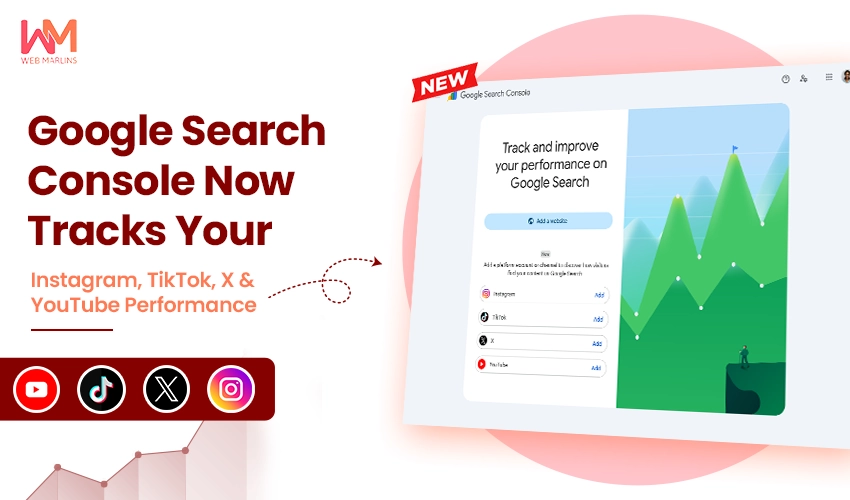
Google has just rolled out one of the most interesting Search Console updates in recent memory. On July 7, 2026, the company introduced platform properties, a brand-new property type in Google Search Console that lets you see how your social media and video content performs on Google Search and Discover.
Yes, you read that right. You can now open Search Console and check exactly which search queries are sending people to your Instagram profile, TikTok videos, X (Twitter) posts, and YouTube channel, even though you don’t own those domains.
For creators, brands, and SEO professionals in India and around the world, this is a genuinely big deal. Let’s break down what platform properties are, how to set them up, and why this changes the way we think about search visibility.
What Are Platform Properties?
Until now, Search Console only worked for websites you own and verify. If your brand’s presence lived on Instagram or YouTube, you had no way of knowing how that content was being discovered through Google Search. You could see in-app analytics, but the search side of the picture was a black box.
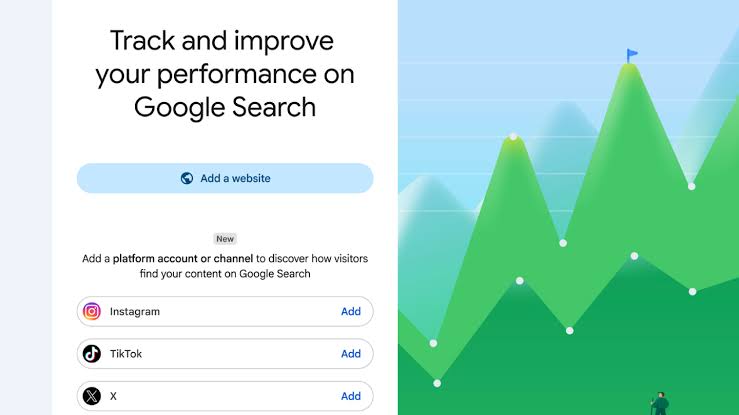
Platform properties change that. This new property type lets you connect your social and video accounts to Search Console and view detailed search performance data for them, the same way you would for your website. At launch, four platforms are supported:
- TikTok
- X (formerly Twitter)
- YouTube
The most remarkable part? You don’t even need a website to use it. Google has explicitly designed this for creators who may have never owned a domain in their life but still want to understand how people find them through Search.
What Data Can You See?
Once your platform property is verified, you get access to three key reporting areas:
1. Performance Report
This is the familiar Search Console report, now applied to your social content. You can view total clicks, impressions, and other metrics for your posts, then filter and sort the data to identify which specific posts and search queries are driving the most traffic. If you prefer working in your own dashboards, the data can also be exported for analysis elsewhere.
2. Insights Report
The Insights report gives you a high-level snapshot of recent traffic trends, highlights your top-performing posts, and shows how people are discovering your account on Google. This is perfect for a quick weekly health check without digging through raw numbers.
3. Achievements
Google has added a motivational layer here as well. The Achievements section tracks growth milestones, such as crossing a new threshold of total clicks from Google Search over the last 28 days. It’s a small touch, but a nice way to visualise momentum.
How to Set Up a Platform Property (Step by Step)
Getting started is refreshingly simple:
- Open Google Search Console and go to the verification page, or click the property selector dropdown from anywhere in Search Console.
- Click “Add property.”
- Choose your platform from the four available options: Instagram, TikTok, X, or YouTube.
- Follow the on-screen verification steps to securely authorise the connection between your account and Search Console.
That’s it. Once verified, the reports begin populating with your search performance data.
One important note: Google says platform properties are rolling out gradually over the coming weeks, so don’t panic if you don’t see the option in your account just yet. It should appear for everyone soon.
Why This Update Matters
Search visibility no longer stops at your website
People don’t discover brands through websites alone anymore. A user searching for a product review might land on a YouTube video. Someone looking up a recipe might end up on an Instagram Reel. Google has clearly recognised that social and video content is a core part of the modern search journey, and it’s now giving us the tools to measure it.
You can finally measure content on platforms you don’t own
This is the first time Google has allowed us to view Search performance for properties we don’t technically own or have developer access to. Social teams and SEO teams have long operated in separate silos, each looking at their own dashboards. Platform properties bring at least one part of that fragmented picture into a single, unified view.
Creators without websites get real SEO data
Independent creators, influencers, and small businesses that operate entirely on social platforms can now access query-level data from Google. That means they can see which keywords surface their content and optimise their titles, bios, captions, and posting strategy accordingly.
It fits a bigger pattern at Google
This launch didn’t come out of nowhere. It builds on the social channels experiment Google ran in Search Console Insights back in December 2025, and it follows other recent additions like the Search Generative AI performance reports introduced in June 2026. Google is steadily reshaping Search Console to reflect how content actually gets discovered today, across websites, AI experiences, social platforms, and video.
Also worth noting: platform properties are different from Search profiles, which Google launched in June 2026. A Search profile is a public-facing page that showcases a creator’s content to their audience. A platform property, on the other hand, is purely an analytics tool for understanding how that content performs in Search.
How Should You Use This Data? Our Practical Tips
Here’s how we at Web Marlins recommend putting platform properties to work:
- Audit your social discoverability. Connect all four platforms (wherever you’re active) and see which one earns the most impressions and clicks from Google Search. The results might surprise you.
- Mine query data for content ideas. The search terms that lead people to your social posts are pure gold for planning future content, both on social and on your website.
- Optimise titles and captions for search intent. If certain queries are already surfacing your YouTube videos or Instagram posts, refine your titles, descriptions, and hashtags around those terms to strengthen that visibility.
- Compare social vs. website performance. For queries where both your website and your social content appear, decide strategically which asset you want to push harder.
- Report smarter to clients and stakeholders. Agencies can now include Google Search-driven social traffic in their reporting, adding a whole new dimension to performance reviews.
Final Thoughts
Platform properties represent a meaningful shift in how Google treats content discovery. Search Console is no longer just a website tool; it’s becoming a full-picture visibility dashboard for your entire digital footprint.
If you manage a brand, run an agency, or create content on Instagram, TikTok, X, or YouTube, add these properties to your Search Console account as soon as the feature reaches you. The insights you gain about how people find you on Google could reshape your entire content strategy.
Want help making sense of your Search Console data or building a search strategy that spans your website and social channels? The team at Web Marlins is here to help. Get in touch with us today.